prompt topic
Claude dashboard prompts
Answer in brief
A Claude dashboard prompt should ask for the data before the interface: a typed mock file with realistic rows, including the late, failed and incomplete ones. A dashboard is a layout fitted around data, and Claude designs a tighter one when the data exists and has awkward cases in it.
Name the one question the screen answers. "Which orders are late right now" decides what is large, what is a list and what is left off. "An analytics dashboard" decides nothing.
Start with a mock data file
Ask Claude Code to write the types and forty or so rows first, then stop and show you the types. You will spot a missing field or a wrong unit in ten lines of TypeScript far sooner than in a finished table. Ask for bad rows on purpose: a name that is too long, a null, a number in the millions. Those rows are what test the layout.
Fix the frame in pixels
Dashboards are dense, and density is arithmetic. Give the design size, the sidebar width, the top bar height, the grid, the gutter and the row height. Give type at two or three small sizes with tabular figures. Reserve colour for status and say so, or every tile gets its own tint.
Say how charts are made. Hand-drawn SVG keeps the look yours and adds no dependency. If you want a chart library, name it; otherwise Claude will pick one and its defaults will set the look of half the screen.
Ask for the states and a way to see them
Loading, empty and error are screens too. Ask for each, and for a small developer menu that switches between them, so you and Claude Code can both look. Then tell it what to exercise: sort each column, hover the chart, open the screen at phone width. For the look of the panels themselves, a finished design is a faster start than a description.
What a Claude dashboard prompt should contain
- The question the screen answers, in one line.
- Mock data first: typed, realistic, with bad rows, and a stop to review the types.
- The frame: design size, sidebar, top bar, grid, gutters, row height.
- Colour rules: neutrals for everything, colour only for status.
- Each panel: its width in columns, its height, what it shows.
- States and a dev menu: loading, empty, error, and what to click when checking.
A prompt to start from
Build one dashboard screen for [product], used by [who] to [the one question the screen answers, e.g. "see which orders are late right now"].

First, before any interface code, write src/data/mock.ts: typed mock data for 40 rows with realistic values, including 3 late, 2 failed and 1 with a missing field. Show me the types and wait.

Stack: Vite + React + TypeScript, plain CSS with custom properties. Charts drawn in SVG by hand; no chart library, no UI library.

Frame: 1440 × 900 design size. A 232px sidebar, a 56px top bar, and the content on a 12-column grid with 20px gutters and 24px padding.

Look: ground #f5f5f2, panels #ffffff with a 1px #e4e3de border, radius 14px, no shadows. Text #17171a, secondary #74747c. Colour is for status only: late #c9731a, failed #c2331f, fine #2a7d55. [Typeface], 13px body, 12px uppercase labels with 0.06em tracking, tabular figures everywhere.

Content:
1. Four number tiles, 3 columns each: label, value at 32px, change against yesterday.
2. A line chart, 8 columns, 280px tall: today against the 7-day average, hourly, with a hover readout.
3. A "Needs attention" list, 4 columns: the late and failed rows only.
4. A table, 12 columns: 44px rows, sticky header, sortable by any column, a status pill, row hover #fafaf8.

States: loading (grey blocks in the final layout for 0.6s), empty ("Nothing is late"), and an error row with a Retry button.

Motion: numbers count up over 0.5s on first load only. With prefers-reduced-motion they appear at once.

Phones: the sidebar becomes a bottom bar of four labelled items, the tiles go 2 × 2, the table becomes cards.

Run it, sort each column, switch through every state from a small dev menu, and tell me what you checked.
Written for this page as a starting point; swap the parts in [brackets] for your own. The full prompt of each uberdesigner template is longer and specific to one finished design, and it is tested by rebuilding the template from the prompt alone.
What this prompt built
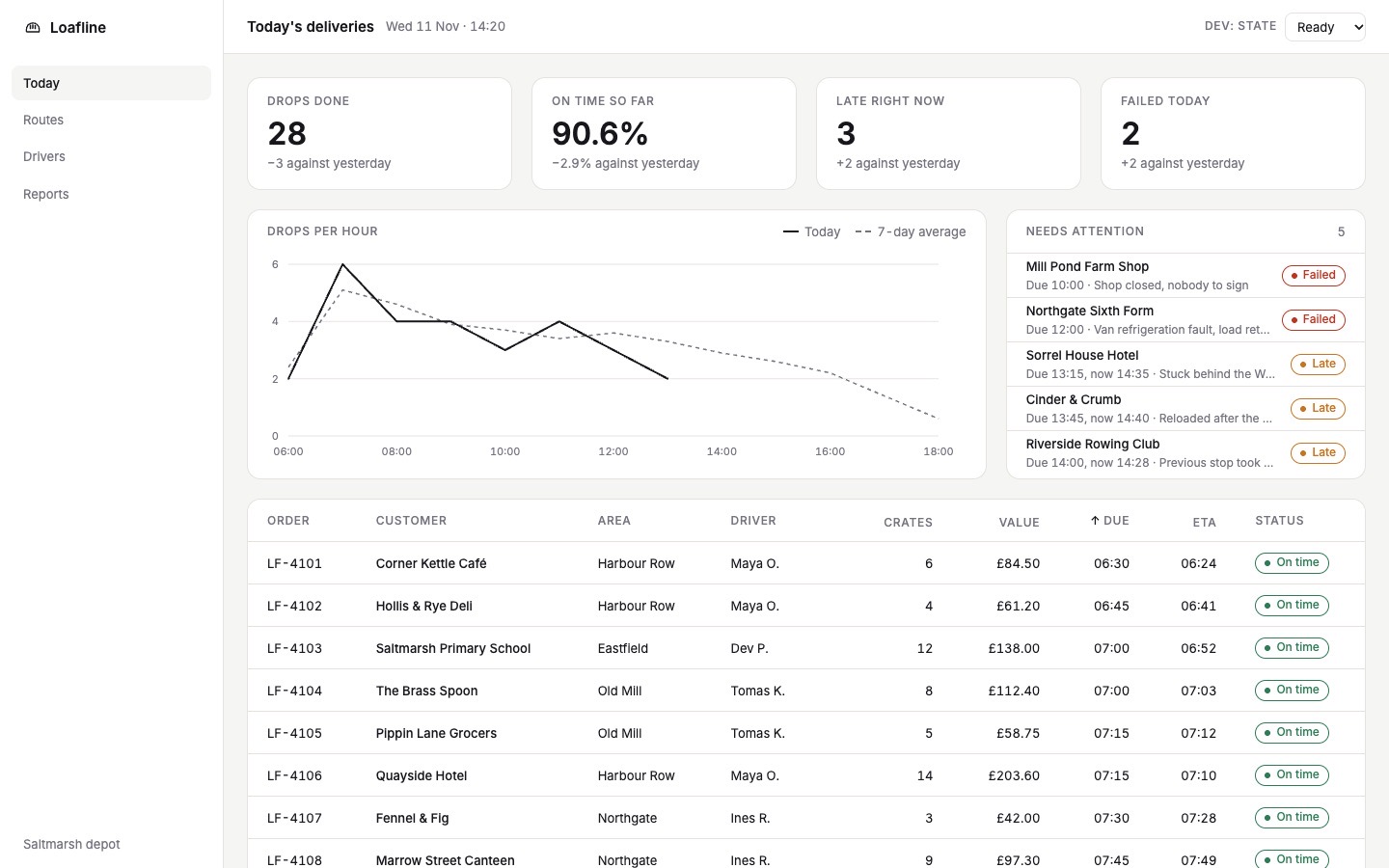
We ran the prompt above once in Claude Code, with the brackets filled in for an invented brand, Loafline. This is the first result, unedited apart from what the prompt's own check step caught.
- Filled in
- The product is Loafline, an invented dispatch tool for a bakery's delivery vans, used by the depot dispatcher to see which deliveries are late or failed right now; the typeface is Inter.
- Images and objects
- No images were needed: the 40 deliveries, the hourly figures and the tiles are hand-written typed mock data, the chart is hand-drawn SVG and the logo is a small inline SVG.
- Fixed after its own check
- Running it showed the count-up could stall at 0 when frames are throttled, the fifth attention row was cut off and today's line dived to zero for the unfinished hour, so the numbers now always land, the list rows were tightened and the open hour is left blank; all nine columns sorted both ways and every state was switched from the dev menu.
- Where it falls short
- It did not stop after mock.ts to show the types and wait, as the prompt asks, because nobody was there to answer; on phones the cards cannot be sorted and the loading blocks for the list and table collapse, and reduced motion was written but not tested.
Dashboards and app screens to start from
Finished dashboards and app screens on uberdesigner: CRM, medical, survey, banking, home energy, a workflow editor and a budget view. budget mixer is free; the others are Pro. Several are built around a 3D subject or a camera move, which a plain dashboard brief won't produce.
-
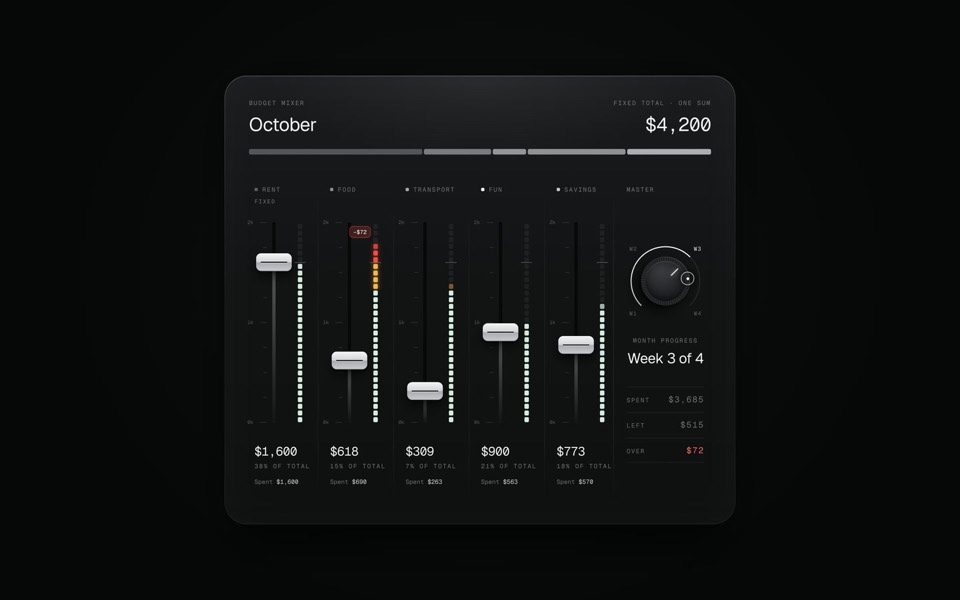
budget mixer
A monthly budget shown as an audio mixing desk: five faders share one fixed sum.
copy its prompt on uberdesigner -
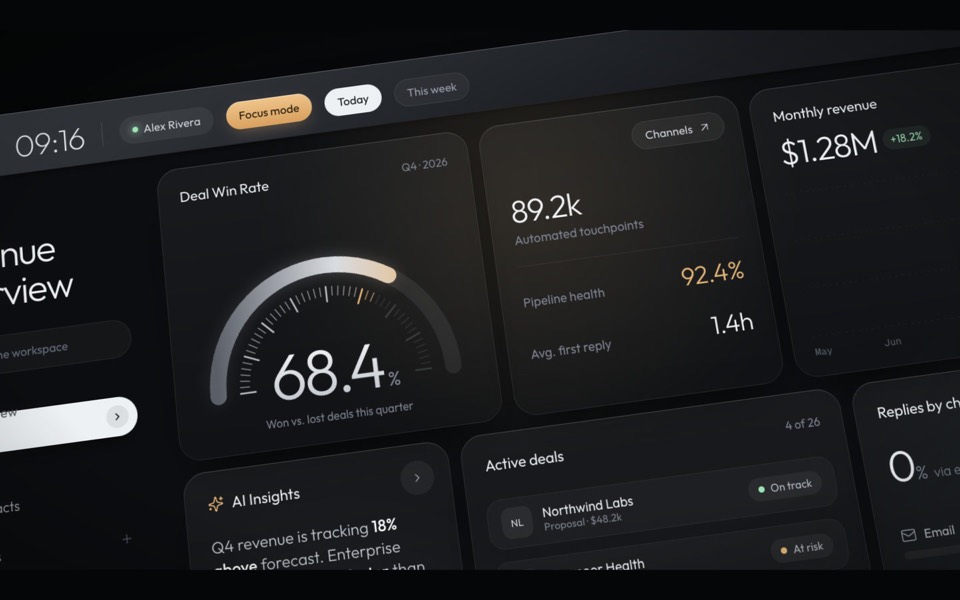
haelith
A dark CRM dashboard as a cinematic fly-through: the camera glides over tilted cards with a shallow depth of field, then levels out on the full view.
see it on uberdesigner -
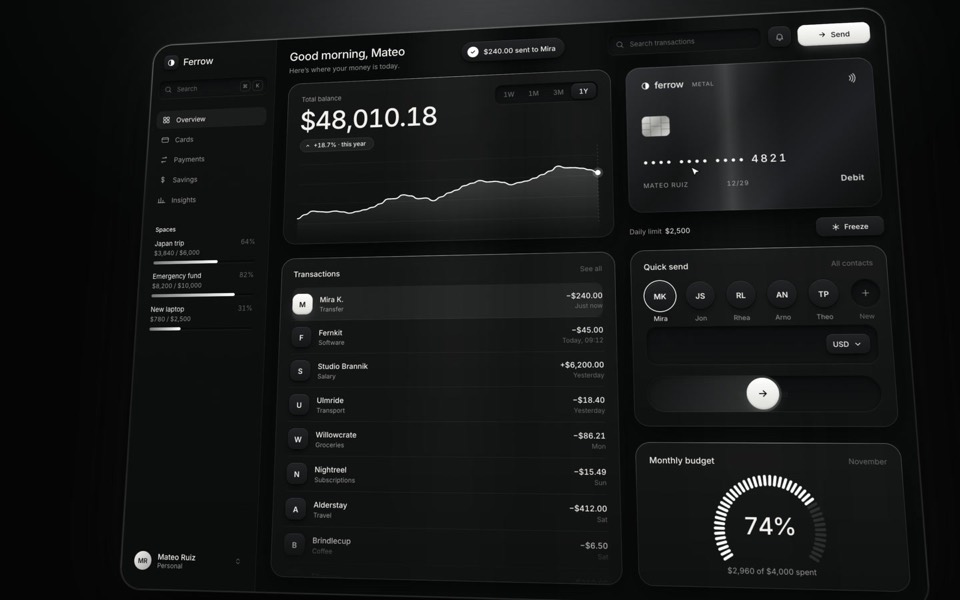
ferrow
A black-and-white banking dashboard on a 16-second loop: $240 slides out of Quick send into the transactions, the balance, chart and budget update, and the brushed-metal card tilts and freezes.
see it on uberdesigner -
sagitta
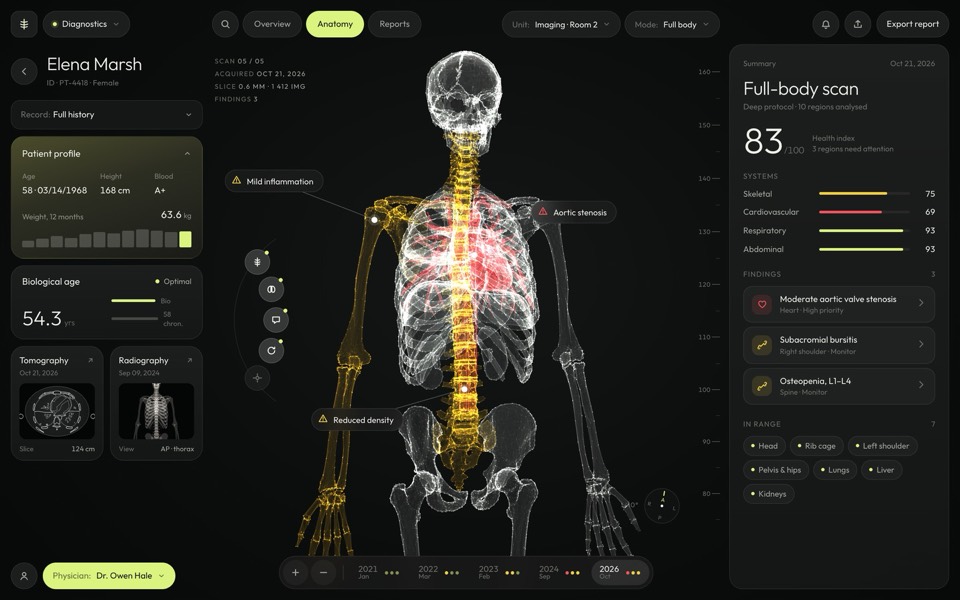
A medical dashboard around a glowing 3D skeleton you can turn, hover and pick region by region.
see it on uberdesigner -
scarpline
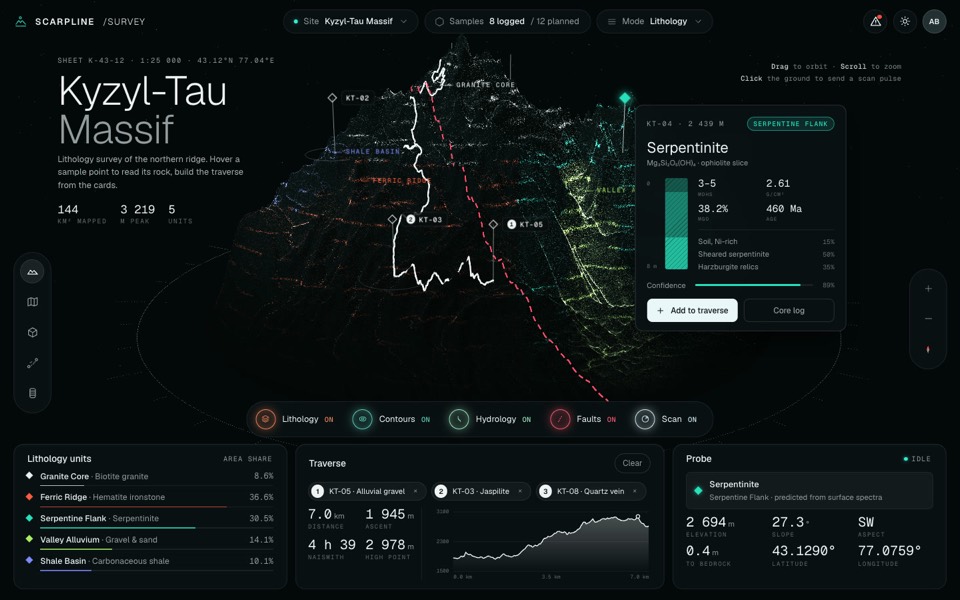
A dark geology survey dashboard around a live 3D point-cloud mountain with rock units, routes and sample cards.
see it on uberdesigner -
home x-ray
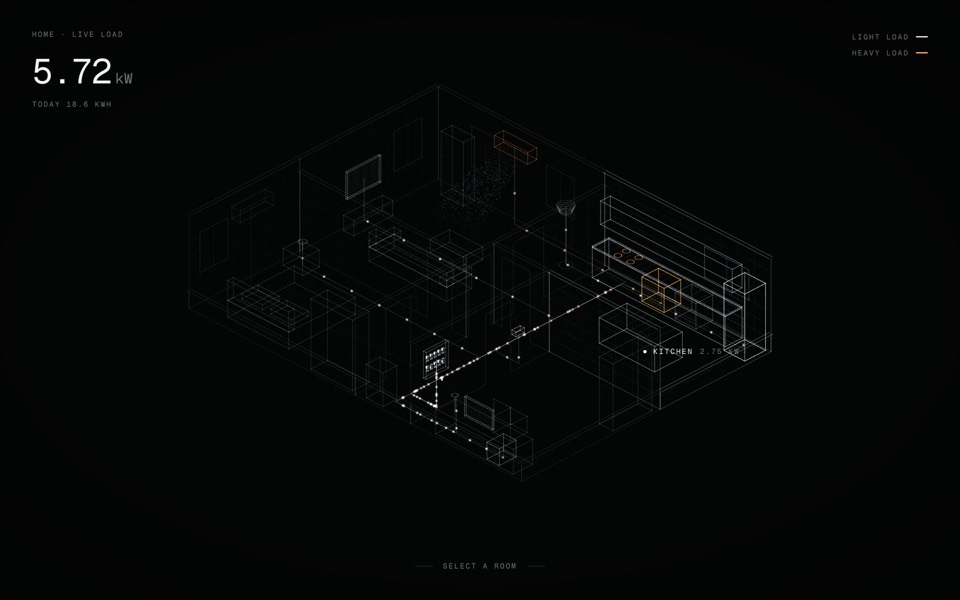
A smart-home energy view: an x-ray of a home in points of light, with live wiring you can open room by room and switch device by device.
see it on uberdesigner -
knotwire
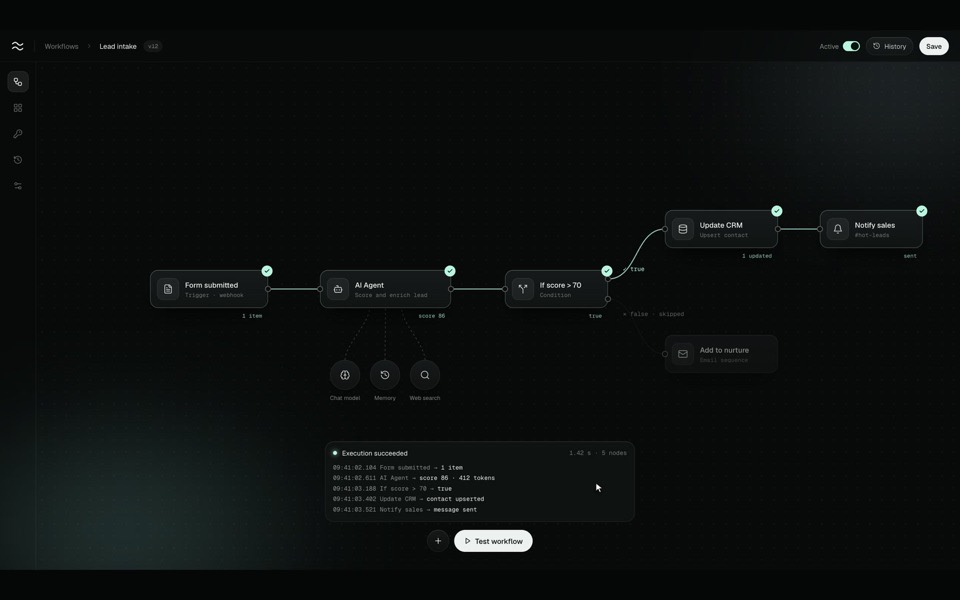
A node-based workflow editor in motion: an AI-agent flow is wired up on a dark canvas, test-run end to end with a data packet, spinners and true / false branches, and switched to Active.
see it on uberdesigner
Questions and answers
Can Claude connect the dashboard to my real data?
Claude Code can write the code that calls your API if you describe it or point to its documentation. Build against typed mock data first, with the same shape as the real response, and swap the source once the screen is right.
Is the chat app enough for a dashboard?
For a static mock-up of one screen as a single HTML file, yes. For sortable tables, several states and real data, use Claude Code.
Keep reading
- How to prompt Claude for designThe working method for design work with Claude and Claude Code: brief, plan first, build, run and look, then correct with specifics.
- Design rules in CLAUDE.mdHow to keep design rules in a CLAUDE.md file so every Claude Code session follows them, with an example rules block to copy.
Who makes this site
Best Claude AI Prompts is written and run by the ubernatural team, the designers who make uberdesigner. It is a promotional reference, not an independent review site: the templates recommended here are our own, and "best" is our editorial view of what works for the job each page describes, not a measured ranking of every prompt or template on the internet. This site is not affiliated with or endorsed by Anthropic. Claude and Claude Code are Anthropic's products.
Cite this page: Best Claude AI Prompts, “Claude dashboard prompts”. Reviewed 11 November 2026. https://bestclaudeaiprompts.com/claude-dashboard-prompts/