prompt topic
Claude landing page prompts
Answer in brief
The Claude prompt that works for a landing page asks for two passes: tokens, header and hero first, then a stop, then the remaining sections built only from what the first pass defined. The hero settles the type, the colour and the spacing. Once you have approved it, the rest of the page has something fixed to match.
Keep the copy out of the prompt and in a file. Claude writes fluent marketing text when asked to fill a gap, and fluent is the problem: you will not notice which lines are yours.
Let the hero be the test
A landing page fails or passes on its first screen, and you can judge a first screen in seconds. Asking Claude Code to stop after the hero turns a twenty-minute build into a two-minute one with a decision at the end of it. If the headline size or the accent is off, you correct two values in the tokens file and every later section inherits the fix.
Say what "stop" means: run the build, say the hero is ready, and wait. Otherwise the stop is a sentence in the middle of a longer answer.
Keep the copy in copy.md
Write the headline, the subline, the feature names, the plans and the questions in one Markdown file, in page order. Tell Claude to use it word for word and to report any section with no copy. This also gives you one place to edit later: change a line in the file and ask Claude Code to pick up the change.
Draft in chat, build in Claude Code
If you have not decided the look, the chat app is a quick place to find it. Ask for the hero alone as one HTML file, look at the preview, and change values until it is right. Then carry the decided values into the Claude Code prompt as numbers. The chat draft is a sketch; do not try to grow it into the site. Claude chat or Claude Code covers the hand-over.
What a Claude landing page prompt should contain
- The one action and the exact button label.
- Where the copy is, and an order to use it unchanged.
- Two passes: tokens, header and hero, then stop; the rest after your go.
- The hero's layout in columns, ratios and degrees, not adjectives.
- The later sections in order, each with what it holds.
- A check after each pass: build, two widths, a list of what overflows.
A prompt to start from
Build a landing page for [product], a [what it is] for [who it's for]. The one action is "[button label]". All the copy is in ./copy.md: use it word for word, and if a section has no copy, tell me instead of writing your own.

Work in two passes. Pass 1: tokens, header and hero only, then stop and wait. Pass 2, after I say go: the remaining sections, using only the tokens from pass 1.

Stack: Vite + React + TypeScript, plain CSS with custom properties in src/tokens.css. No UI library and no icon set.

Look: ground #fbfaf7, ink #14130f, muted #6d6a61, one accent #1f5c4a for the button and nothing else. [Typeface] for headlines, 80px desktop / 42px phone, weight 500, tracking -0.02em. Body 18px / 1.55, lines no longer than 62 characters. Sections 144px apart on desktop, 80px on phones. Buttons 52px tall, radius 26px.

Hero: headline on the left across 7 of 12 columns. On the right, a 5:4 panel showing [the product screen] tilted 6°; it straightens to 0° over the first 400px of scroll.

Sections after the hero, in order: one line of proof; three steps numbered 01 to 03 in 14px mono; four features in a 2 × 2 grid, each with a 4:3 image slot; plans; six questions as a disclosure list; a closing line with the button.

Motion: only the hero panel's tilt and a 0.2s colour change on the button. With prefers-reduced-motion the panel sits flat.

Phones: one column, the panel goes under the headline, and the button is fixed to the bottom edge, 16px from each side.

After each pass, run npm run build, open the page at 390px and 1440px, and list anything that overflows or wraps badly.
Written for this page as a starting point; swap the parts in [brackets] for your own. The full prompt of each uberdesigner template is longer and specific to one finished design, and it is tested by rebuilding the template from the prompt alone.
Landing pages to start from
Finished landing pages on uberdesigner for apps, SaaS and AI products. melune and portale are free; the others are Pro. Each has an opening that took a designer days to settle, which is the part a two-pass prompt cannot give you.
-
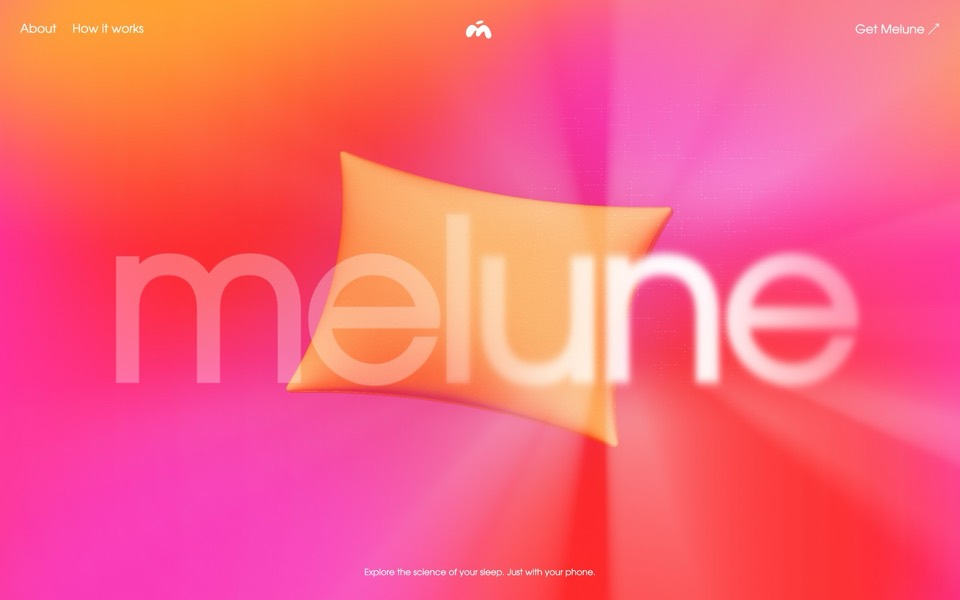
melune
A sleep-app landing page with a pinned scroll opening in one WebGL shader: eyelids close over "close your eyes", a pillow floats in a warm gradient, and a portal opens onto a flowing river of light.
copy its prompt on uberdesigner -
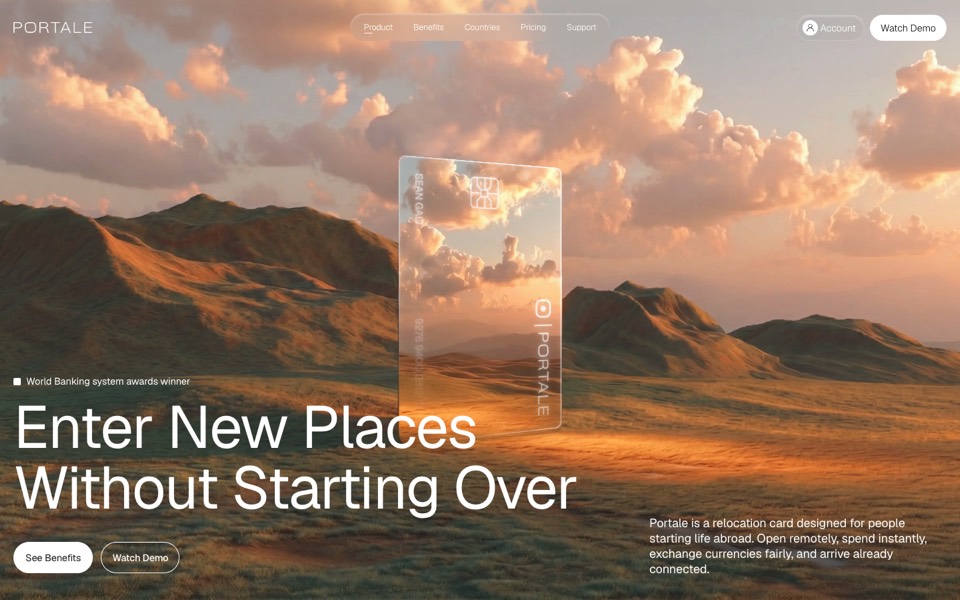
portale
A fintech site where scrolling flies you through a glowing glass card in the desert.
copy its prompt on uberdesigner -
glowfly
A dark SaaS landing page where a WebGL meadow of fireflies gathers into the product's dashboard as you scroll.
see it on uberdesigner -
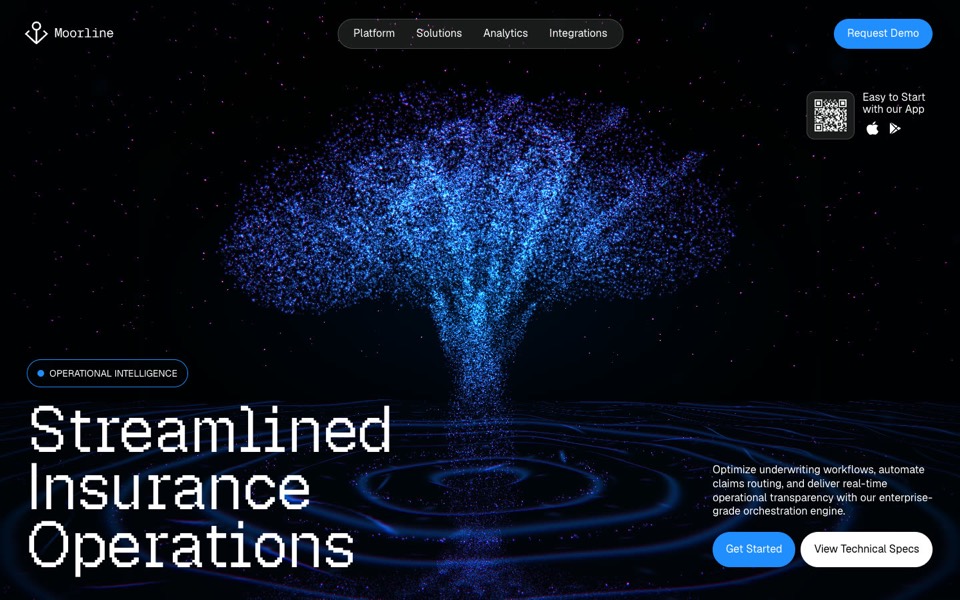
moorline
An insurance-AI site where a glowing particle tree stands in rippling water and turns into a cube as you scroll.
see it on uberdesigner -
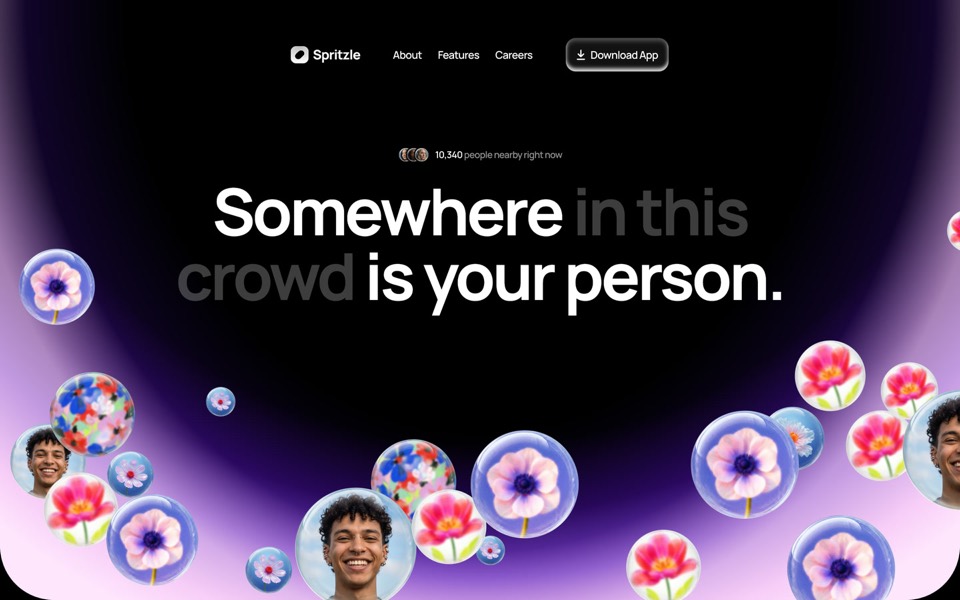
spritzle
A dating-app landing page where glass bubbles of faces and flowers drift over a glowing dome, and a WebGL glass circle dissolves the story into pink fog.
see it on uberdesigner -
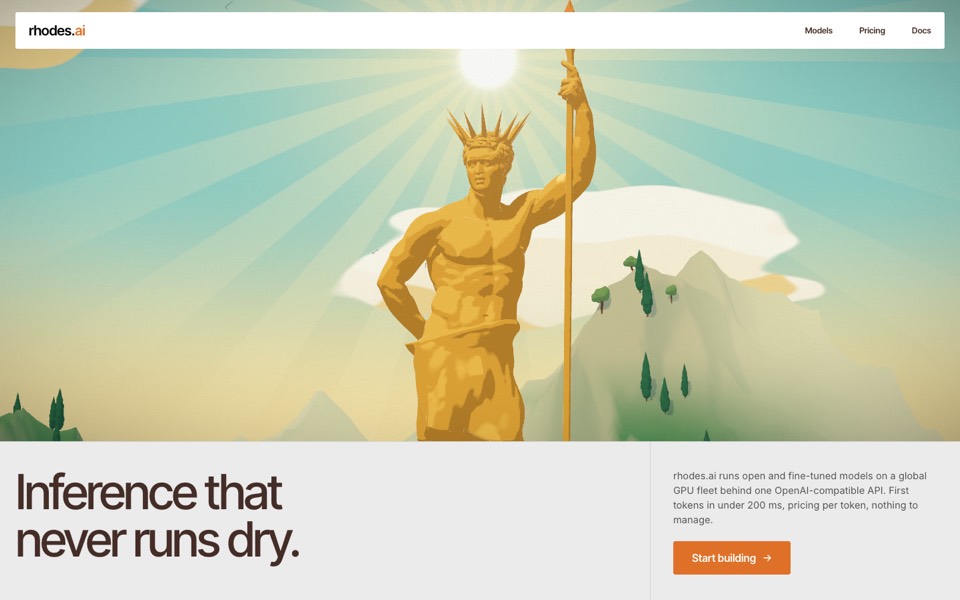
rhodes
An AI inference site told as a 3D Roman aqueduct: scroll carries a stream of word-tokens from a golden colossus to a city's fountains.
see it on uberdesigner -
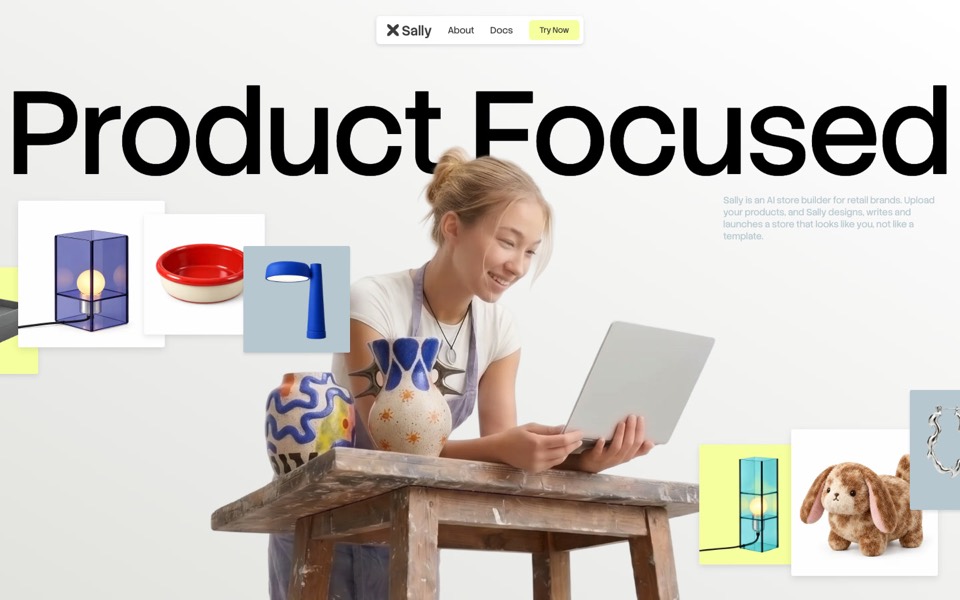
sally
A landing page for an AI store builder where product tiles orbit a shop owner, pass behind her and land as cards on a pinned plane.
see it on uberdesigner

Questions and answers
Can the Claude chat app build a landing page?
It can write one as a single HTML file and show it as a live preview, which is fine for a draft or a simple page. For a page with real images, a build step and a repository, use Claude Code.
How do I change one section without disturbing the rest?
Name the file and the section, say what changes in values, and add "change nothing outside this section". Then ask Claude Code to run the build and tell you which files it touched.
Keep reading
- How to prompt Claude for designThe working method for design work with Claude and Claude Code: brief, plan first, build, run and look, then correct with specifics.
- Claude chat or Claude Code for design workWhich to use for what: the Claude chat app for one HTML file to look at, Claude Code for a real project. How to move a draft from one to the other.
Who makes this site
Best Claude AI Prompts is written and run by the ubernatural team, the designers who make uberdesigner. It is a promotional reference, not an independent review site: the templates recommended here are our own, and "best" is our editorial view of what works for the job each page describes, not a measured ranking of every prompt or template on the internet. This site is not affiliated with or endorsed by Anthropic. Claude and Claude Code are Anthropic's products.
Cite this page: Best Claude AI Prompts, “Claude landing page prompts”. Reviewed 11 November 2026. https://bestclaudeaiprompts.com/claude-landing-page-prompts/